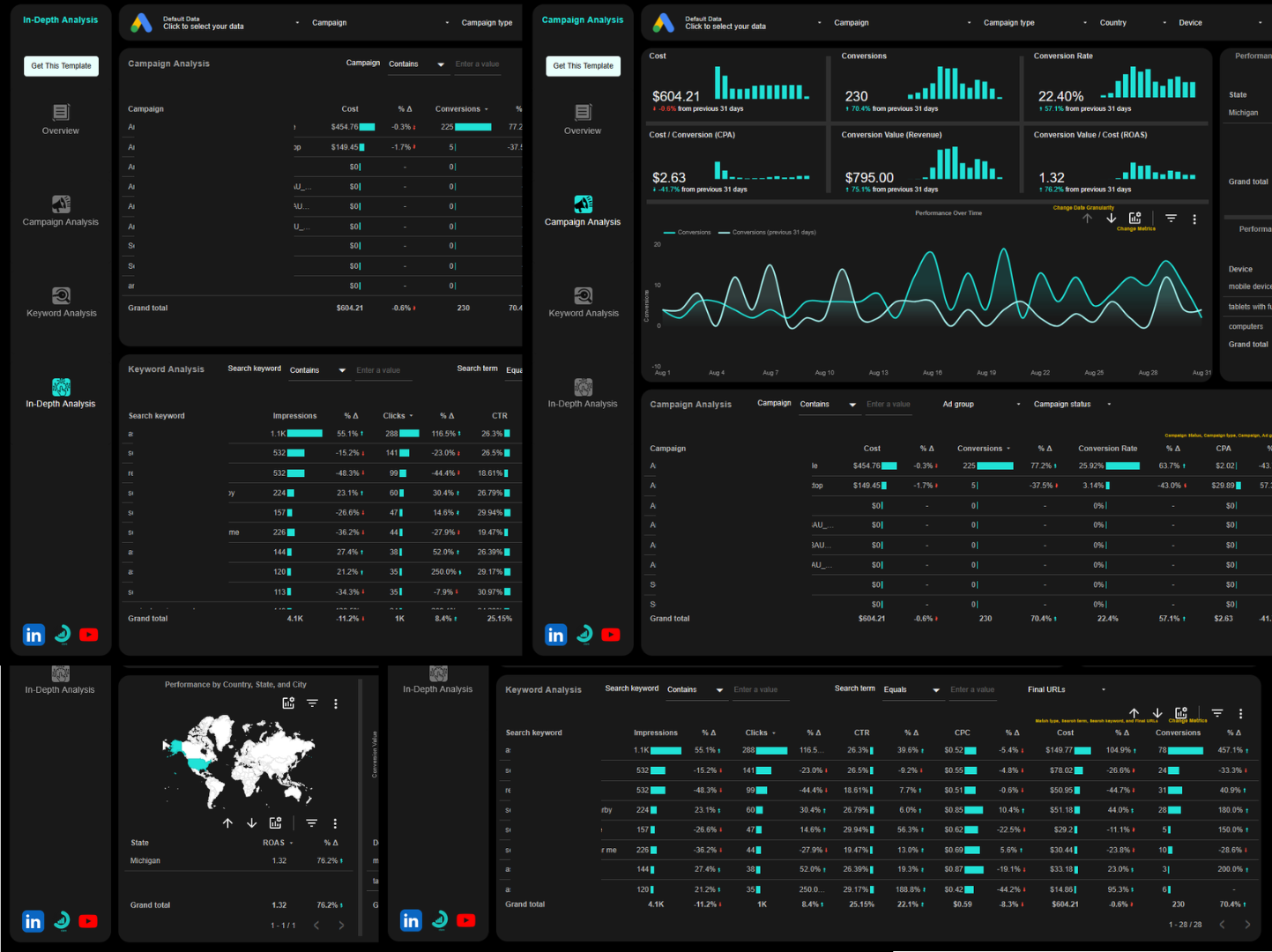
Custom Google Ads Data Studio Dashboard
Custom Google Ads Dashboard for Deeper Analysis, Faster Reporting, and Better Client Presentations
We will build a custom Google Ads Data Studio dashboard tailored to your analysis and reporting needs. Analyze campaign performance, track conversions, and present clients with deep insights, polished white-label reports, and automated workflows that eliminate hours of manual work. Perfect for agencies, experts, and teams who demand reporting that delivers.
Work with Us
We like to start with a chat about you and your business. So fill in the form and let’s start from there. If none of our package fit your Google Ads dashboard need, select custom and give us as much details as you can.
Our Custom Google Ads Data Studio Dashboard Package
Silver
$100
➙ 1-page dashboard: 3-6 scorecards and 3-4 charts per page
➙ Connect Google Ads
➙ Calculated fields
➙ Report design aligned with your brand
➙ Complete handover + walk-through video
Gold
$450
➙ 5-pages dashboard: 3-6 scorecards and 3-4 charts per page
➙ Connect Google Ads
➙ Calculated fields
➙ Report design aligned with your brand
➙ Complete handover + walk-through video
Diamond
$850
➙ 10-pages dashboard: 3-6 scorecards and 3-4 charts per page
➙ Connect Google Ads
➙ Calculated fields
➙ Report design aligned with your brand
➙ Complete handover + walk-through video
Connectors we work with
- Native
- Windsor.ai
- Supermetrics
- Power My Analytics
- Coupler.io
- Portermetrics
If the connector you want is not here, let us know, there is a chance we can work something out for you.
Common Google Ads data sources we work with
- Google Ads API through Native Connector
- BigQuery
- Google Sheets
- Google Ads API through 3rd-Party Connectors
Don’t see your platform? Just ask, chances are it’s supported.
What you will get with every Data Studio (formerly Looker Studio) package
➙ Automatic Data Updates: Your Google Ads dashboard refreshes automatically, no manual exports needed.
➙ Calculated Fields: Custom metrics and dimensions tailored to your Google Ads and business logic.
➙ Professional Design: Clean, intuitive layouts that make insights obvious.
➙ Video Training: Step-by-step guidance so you’re never confused.
➙ Full Ownership: The custom Google Ads dashboard developed in Data Studio is yours to keep and modify forever.
How it works
1. Choose Your Package: Select the package that matches your needs, if not send us a message for a custom package.
2. Share Your Goals: Tell us what the decisions you want to be able to make with the dashboard.
3. Provide Access: Grant us access to your Google Ads property.
4. Make Half Payment: We won’t start working on your project until we received the first half of the selected package price.
5. Review and Refine: We will build your dashboard and incorporate your feedback.
You have just 2 review and refine, so make sure to have used the dashboard and tell us where you want to make changes (changes in metrics, dimensions, calculated field logic, etc. but it can’t be a complete re-design).
6. Launch and Learn: Get your completed dashboard plus a walk-through video
Typical turnaround: 3-10 days from first half payment and data access to delivery.
What Your Custom Google Ads Dashboard Tells You Every Morning
You open one dashboard built specifically for how you work.
No digging through reports to answer basic questions.
Everything you need, from campaign performance to conversions and spend efficiency, are already laid out clearly.
Every morning, you’d see:
- Which campaigns are driving the most conversions?
- Where is your ad spend going?
- Which keywords are performing and which are wasting budget?
- How do conversion rates compare across campaigns and ad groups?
- Which audiences are converting the best?
- What’s your cost per acquisition trending over 7, 30, 90 days?
- Where are traffic drops or spikes happening right now?
- Which landing pages are turning visitors into customers?
- How does this week’s performance compare to last week and last month?
Frequently Asked Questions
Can I add more pages later?
Absolutely. Start with what you need now – campaign performance, conversion tracking, and spend analysis, then scale up as your needs evolve.
What if I want to modify the dashboard after it’s built?
We can walk you through how to make basic updates yourself. For complex changes like restructuring or redesign, we can arrange ongoing support.
What’s the typical turnaround time?
Most custom Google Ads Data Studio dashboards are live within 3–10 business days after you grant data access and we receive the initial payment.
Do I need to know Google Ads and Data Studio to use this?
No. Your dashboard will be plug-and-play, with a guided walkthrough that shows you exactly how to use it.
Who controls my Google Ads data?
You do, completely. We’ll need temporary access for setup, but all data remains in your Google account under your ownership.
Let’s Build Your Perfect Google Ads Dashboard
Stop piecing together scattered Google Ads data just to answer basic questions.
Get a custom-built dashboard that shows you exactly which campaigns are working, where your budget is going, and what’s actually driving conversions, all in one clean view that fits how you work.
Choose your package above and start making faster, smarter decisions while eliminating hours of manual reporting every week.
Have unique requirements? Fill out the form above and describe exactly what you need from your Google Ads dashboard.
Tell us what decisions you need to make, which metrics matter most to your clients, or what reporting tasks are eating up your time. The dashboard will be built specifically for how you work.
If you want something right away, check our ready-to-use Data Studio Google Ads template page.