GA4 Report Templates: Google Analytics 4 Dashboard Examples
Professional GA4 Dashboards for Analytics and Reporting
Choose from Data Clare’s ready-to-use Google Analytics 4 Data Studio templates, from focused GA4 reporting to multi-platform dashboards that combine GA4, Search Console, and Google Ads. Browse the collection below, choose the template that matches your data sources and business model, and deploy your professional dashboard in minutes.
Trusted by 130+ Agencies, Marketers and eCommerce Teams in 43 countries




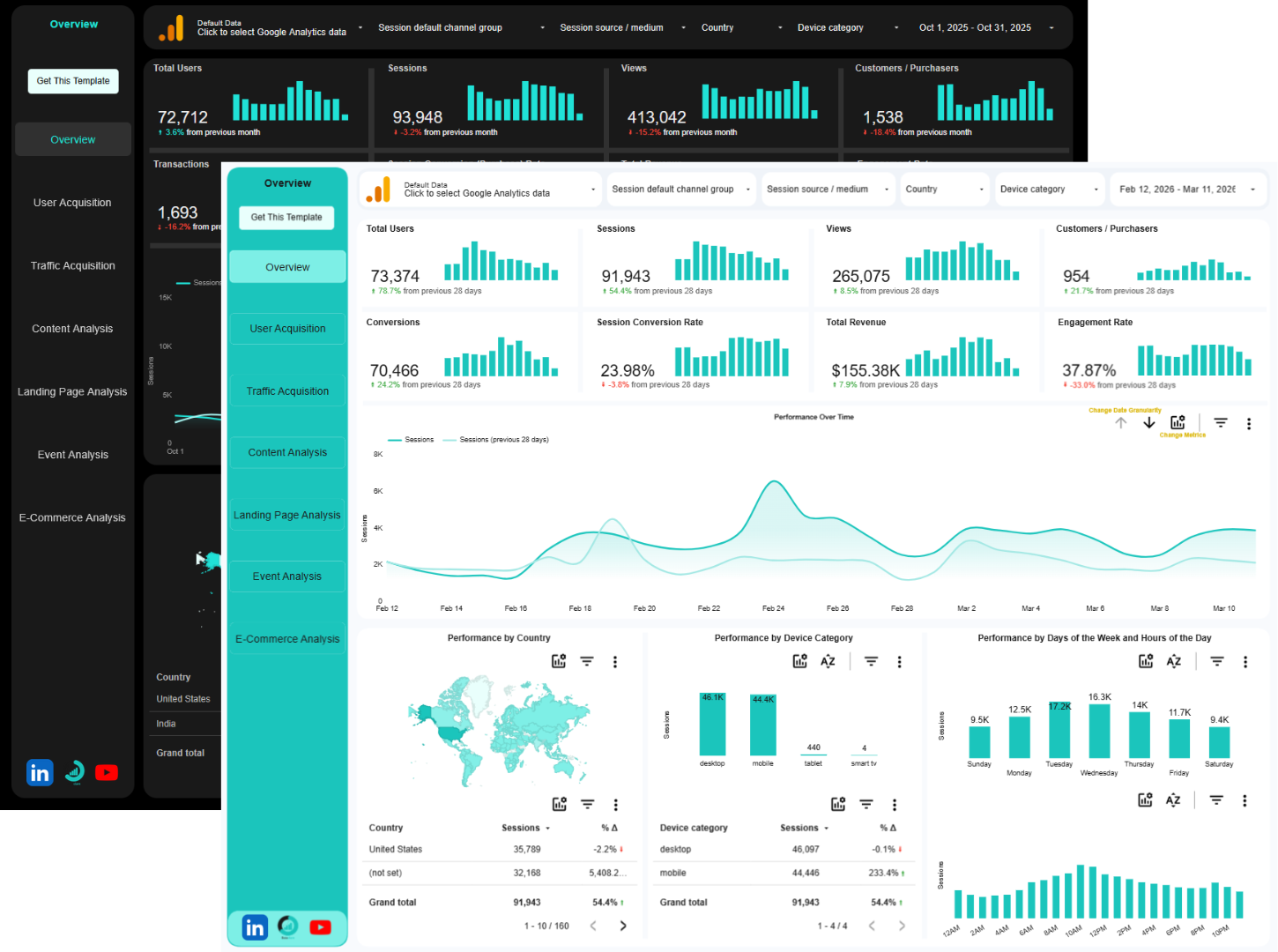
Google Analytics 4 Data Studio Report Template
Goodbye to GA4 cluttered interface. Get a clean, automated dashboard that reveals your traffic, engagement, and conversions, all in one place, ready to share.
$119
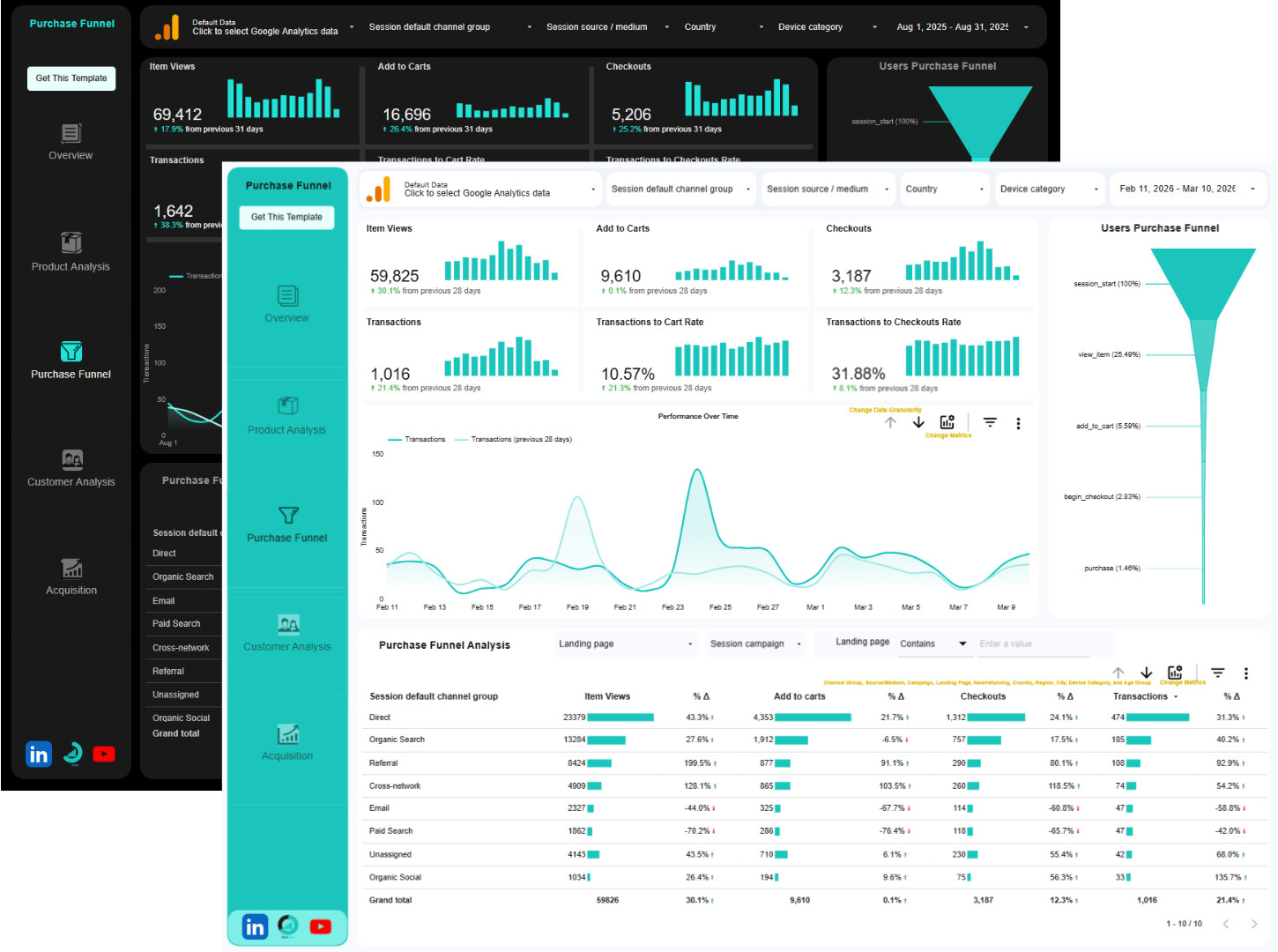
Google Analytics 4 E-Commerce Data Studio Report Template
See your store’s performance at a glance. From revenue to top-selling products, this dashboard turns GA4 e-commerce data into insights that drive sales.
$119
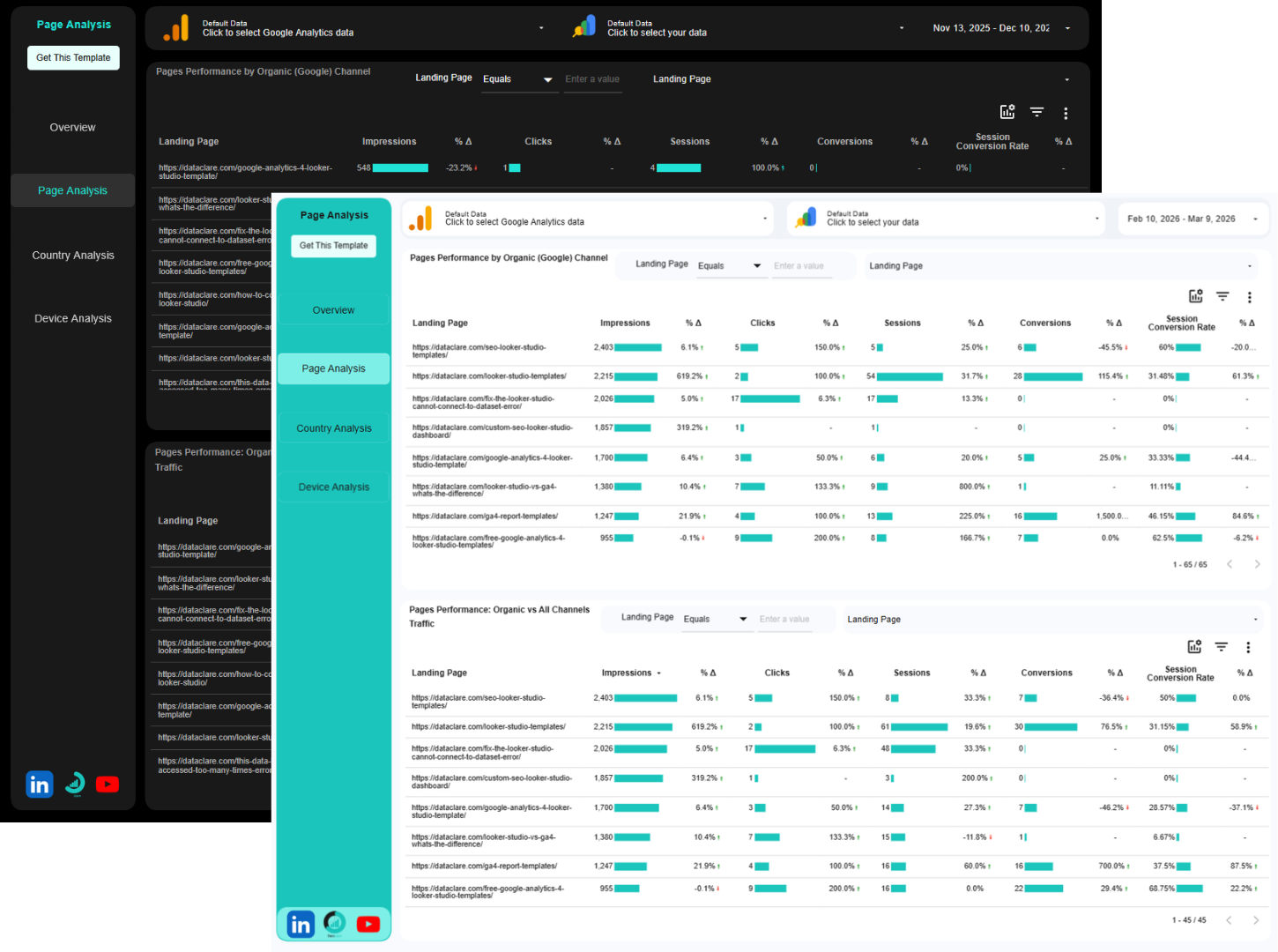
Blended GA4 + Google Search Console Data Studio Template
Tired of jumping between Google Analytics and Search Console to piece together what’s actually happening with your website traffic? This analytics and SEO dashboard finally connects the dots.
$149
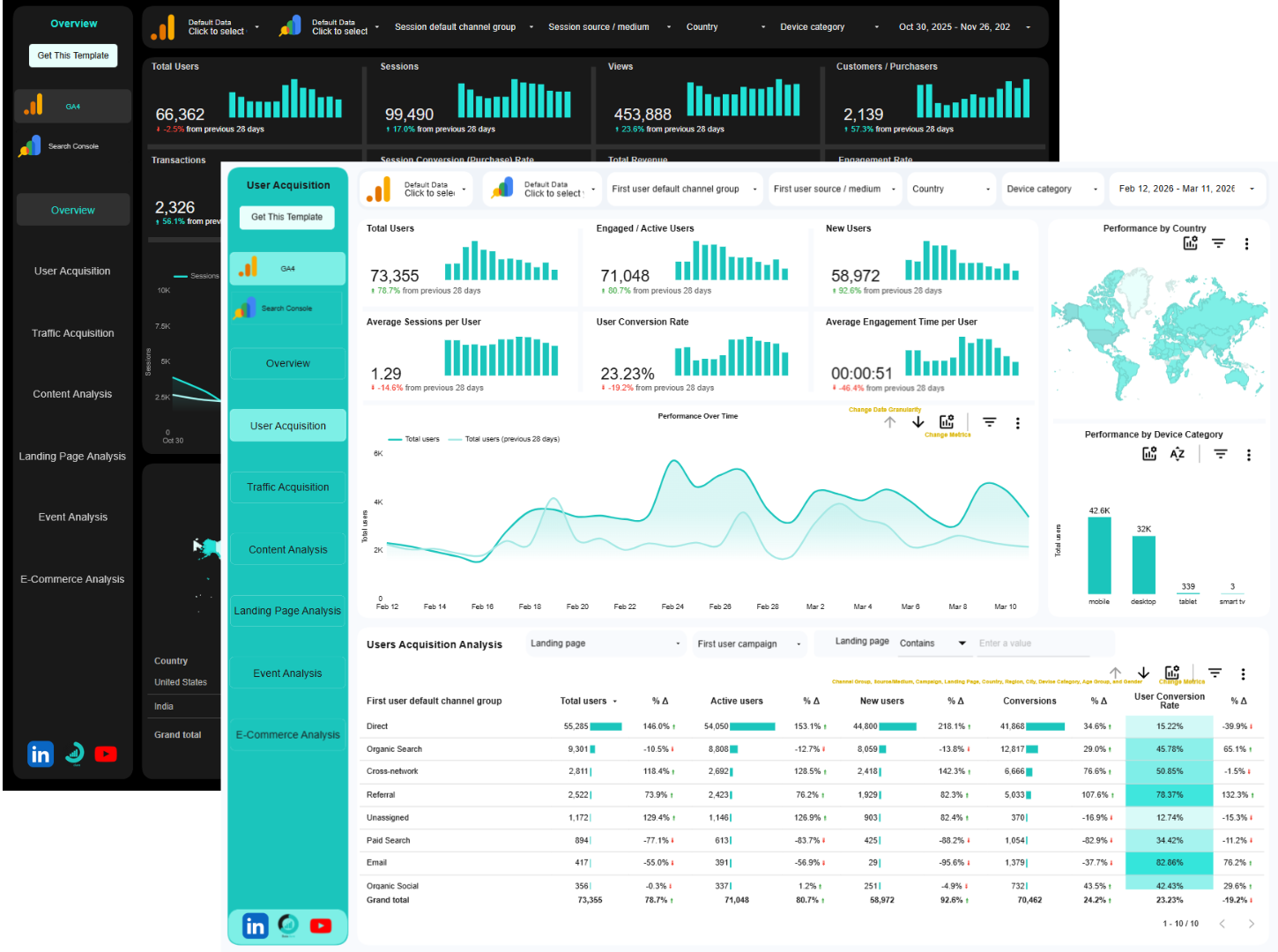
GA4 + Google Search Console Data Studio Template
Tired of jumping between Google Analytics and Search Console to piece together what’s actually happening with your website traffic? I built an Analytics and SEO Data Studio template that finally connects the dots.
$229
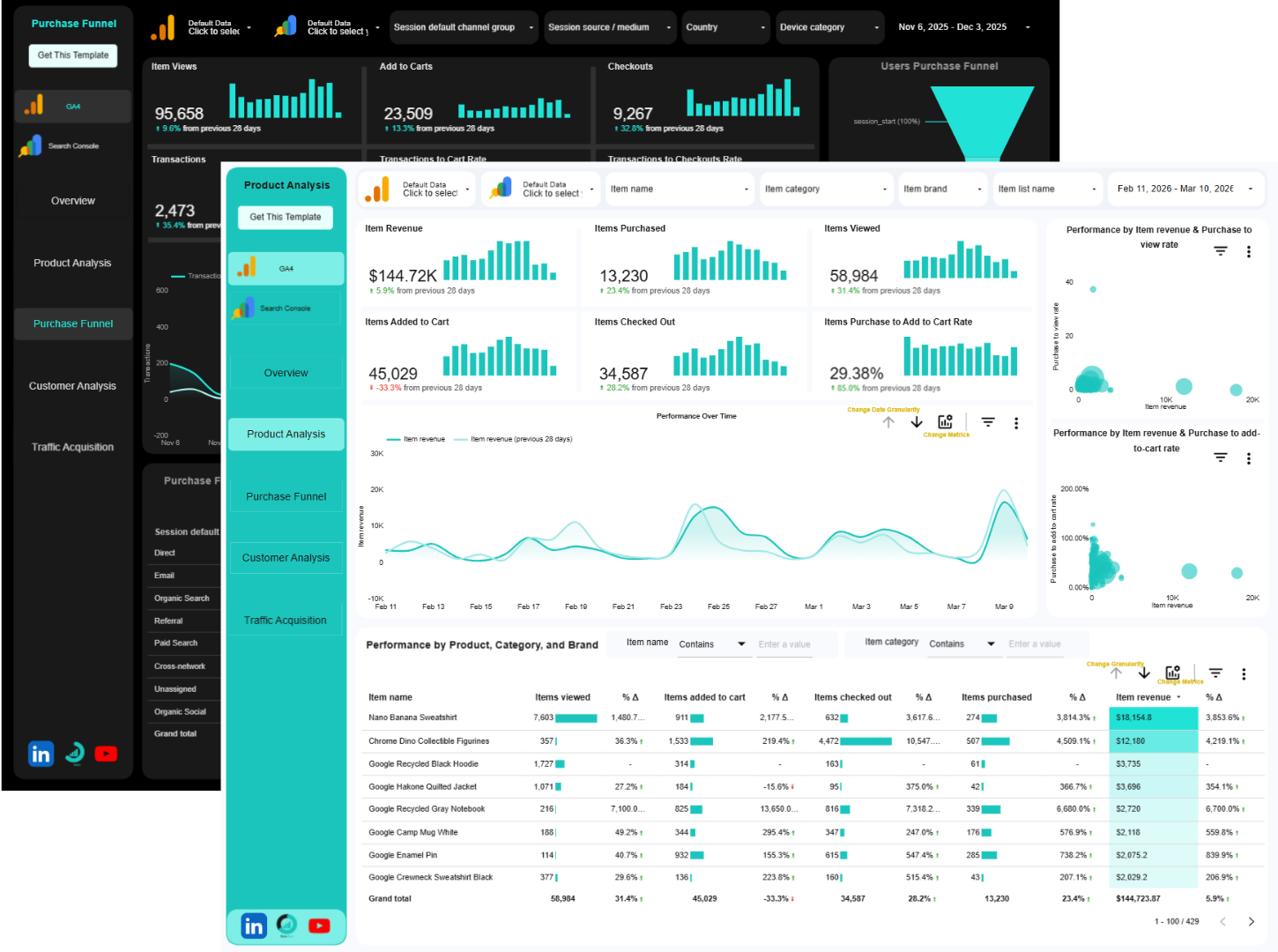
GA4 eCommerce + Google Search Console Data Studio Template
It shows the actions of every shopper on your site (what they view, where they abandon carts, and what they buy) and your Organic Search Performance (where you rank and which keywords drive traffic)
$229
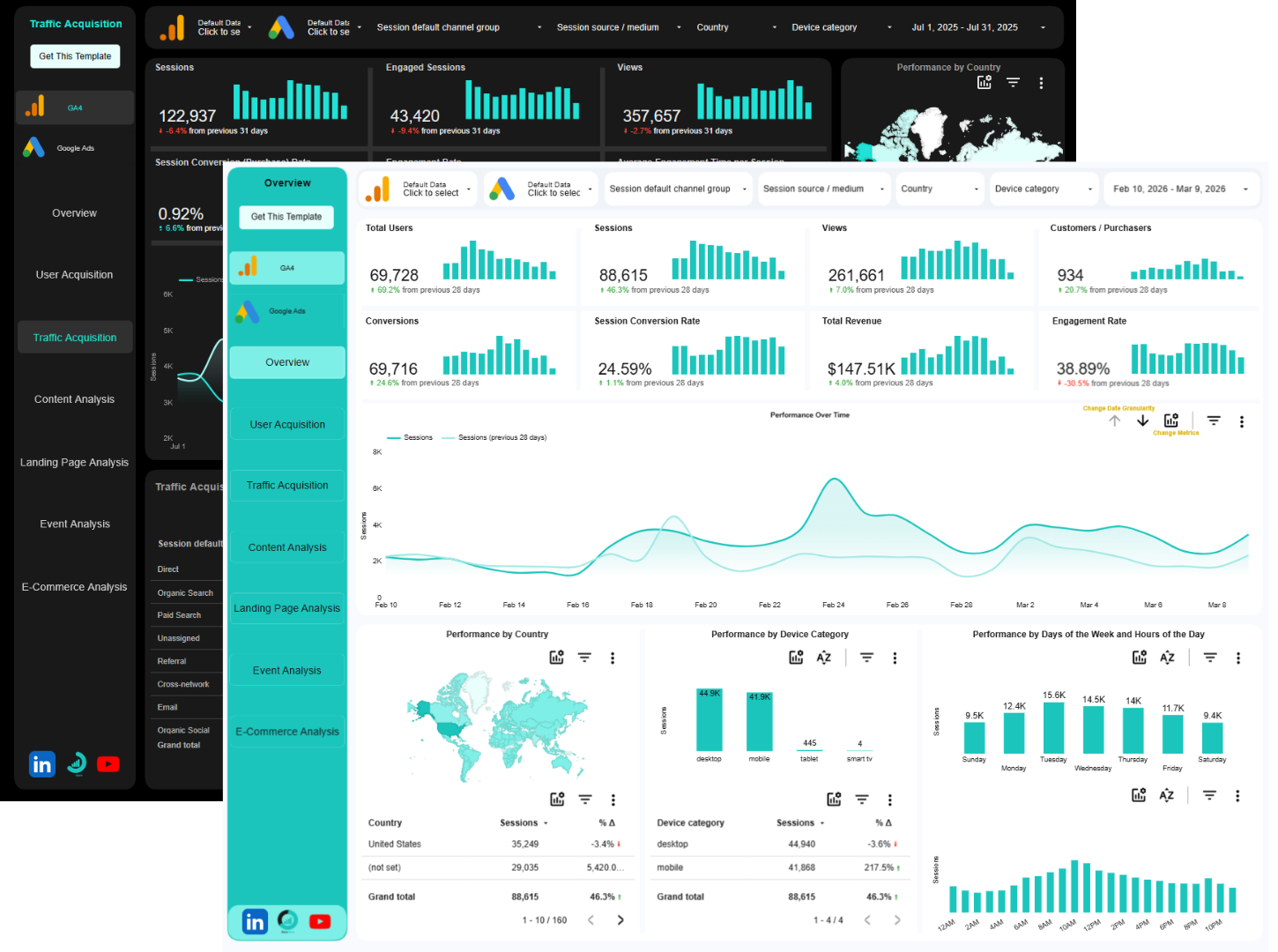
GA4 + Google Ads Data Studio Template
In one click, you can transition from traffic insights to ad performance, gain a deeper understanding of what’s truly driving results, and align your entire team around a single truth, not ten different reports. You no longer need to jump between GA4 and Google Ads manager.
$229
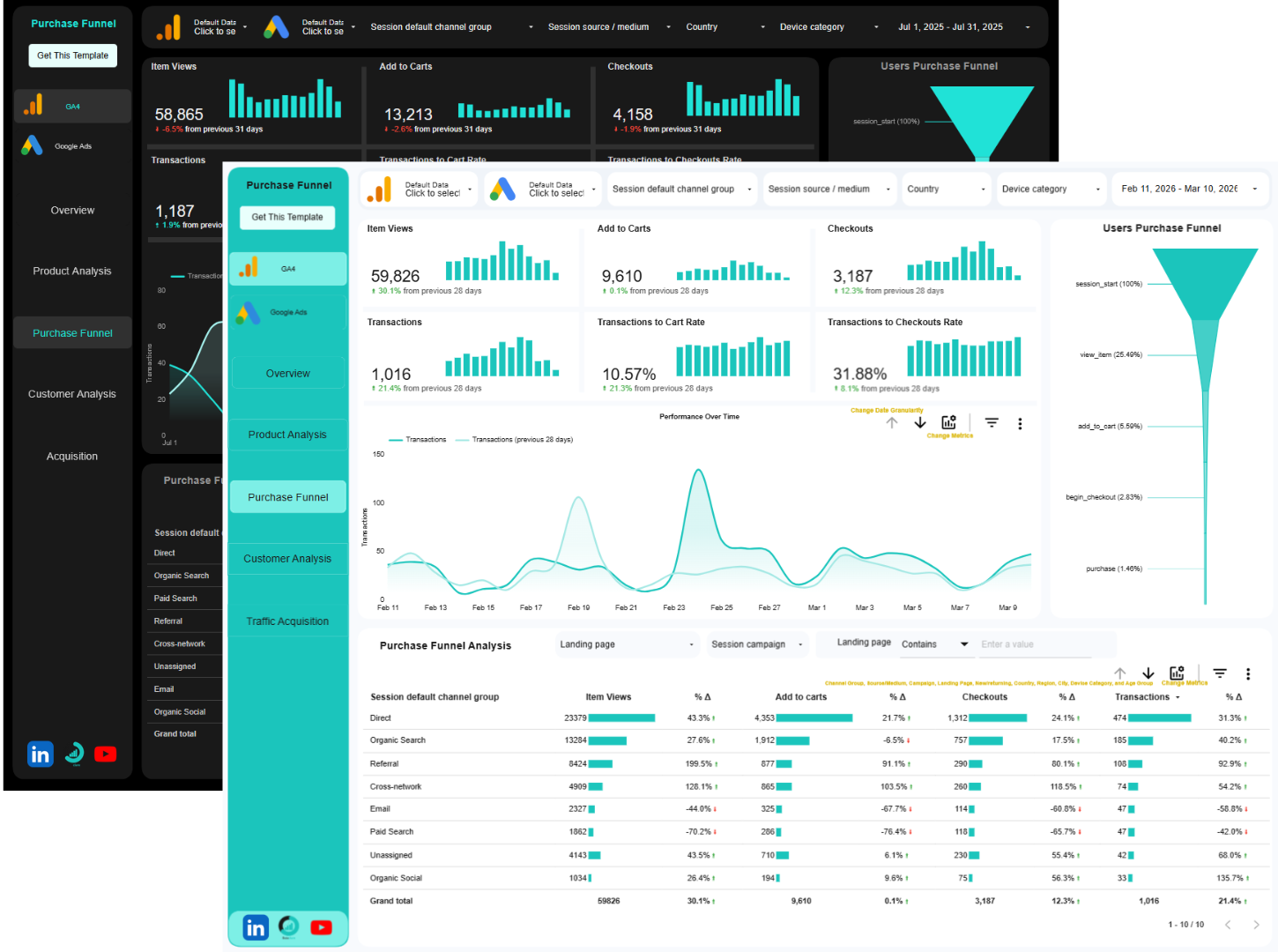
GA4 eCommerce + Google Ads Data Studio Template
Jump between platforms in a click, uncover which campaigns drive profitable customers, and pinpoint which pages turn browsers into buyers, without digging through endless reports. Allowing you to explore your data seamlessly in one place.
$229
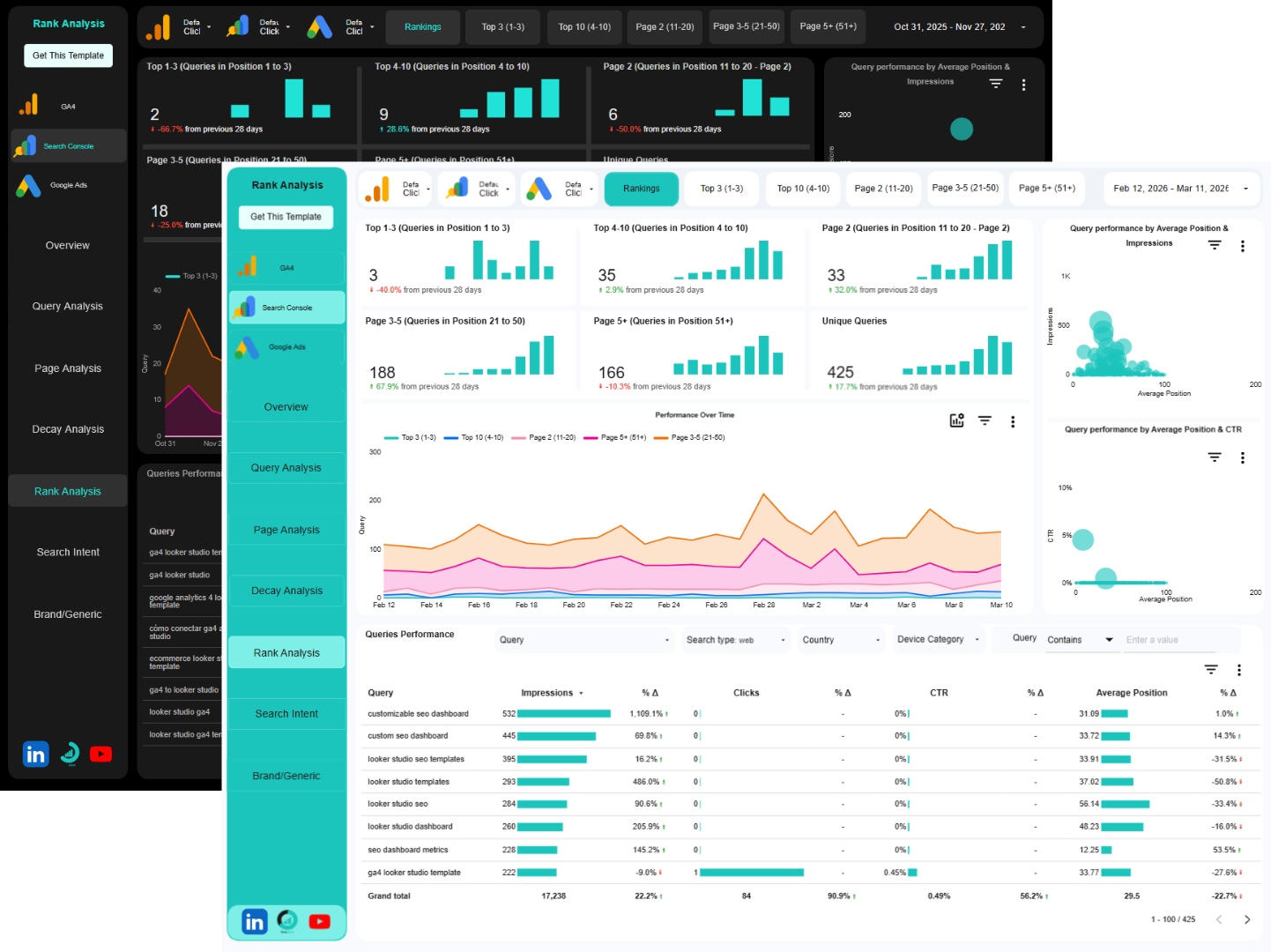
GA4 + Search Console + Google Ads Data Studio Template
All your digital marketing performance in one dashboard. Monitor, analyze, and report on organic search visibility, paid performance, and on-site behavior.
$349
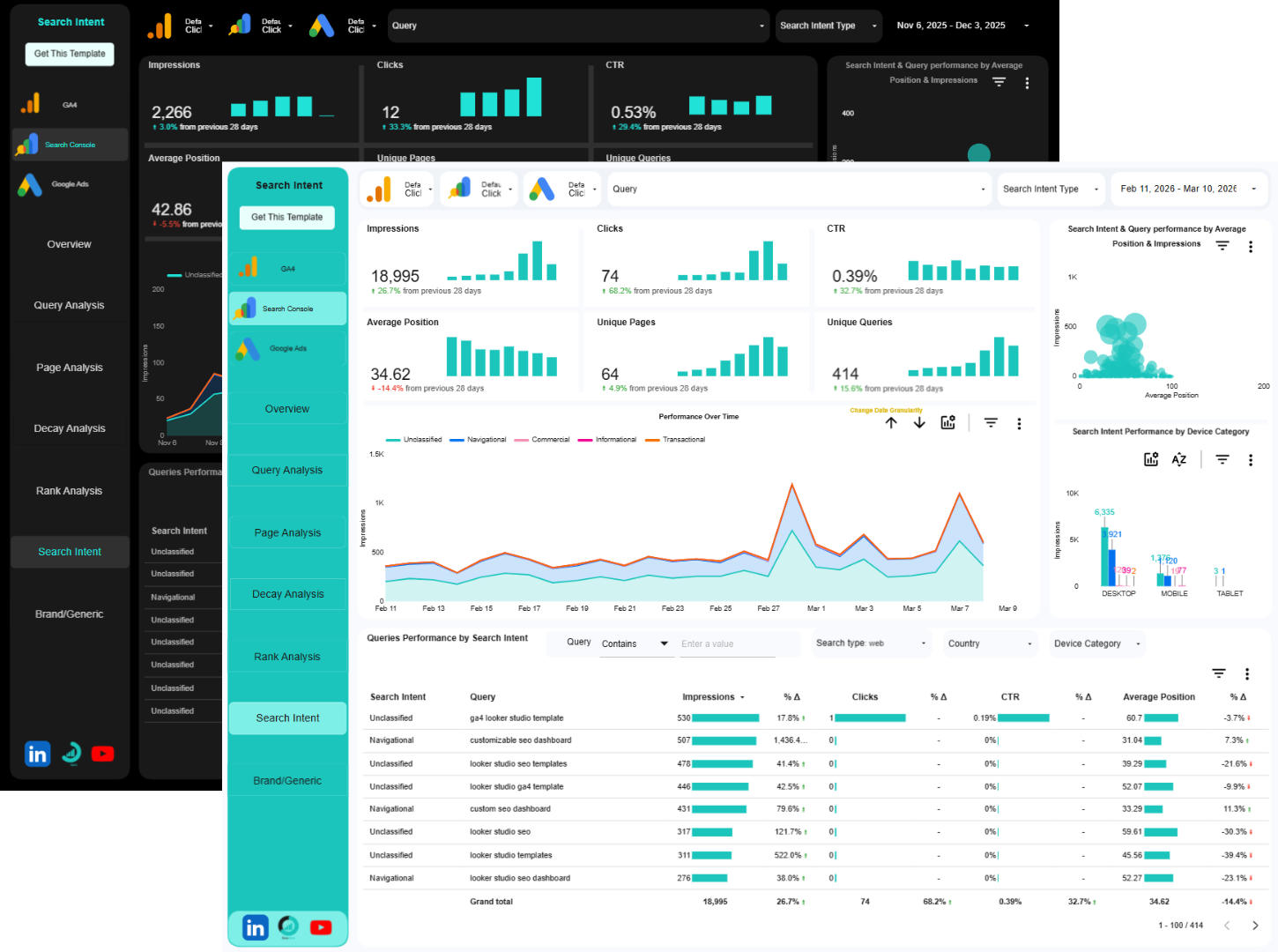
GA4 eCommerce + Search Console + Google Ads Data Studio Template
All your eCommerce store’s performance in one dashboard. Monitor, analyze, and report on organic search visibility, paid performance, and on-site behavior.
$349
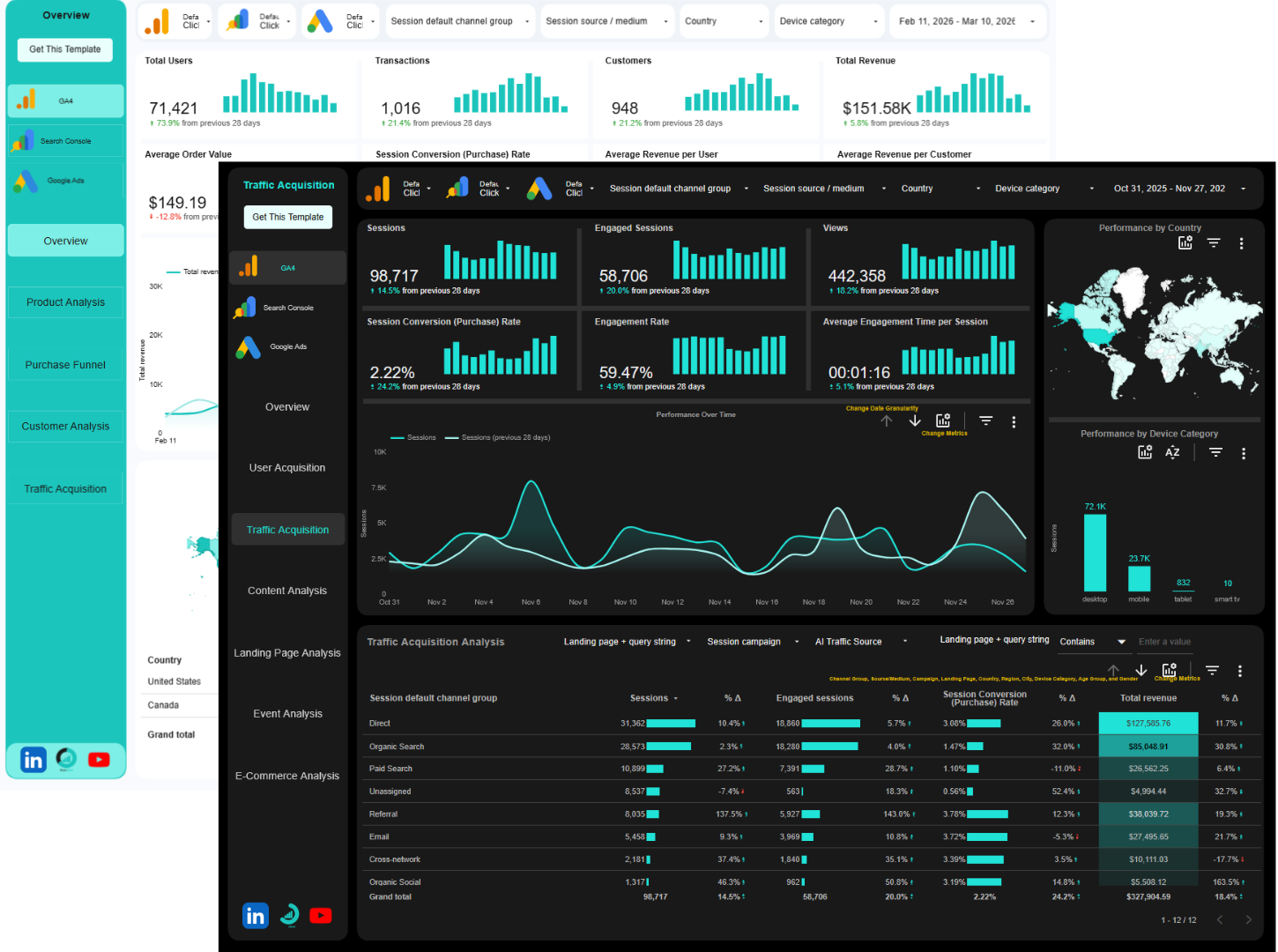
The Reporting Challenge You’re Facing Every Week
Google Analytics 4 promised better insights, but instead left marketers and analysts drowning in complexity.
You’re spending hours navigating unfamiliar interfaces, struggling to recreate reports, and piecing together data from multiple screens just to answer simple questions.
Your stakeholders want answers now, but you’re stuck learning a new system instead of delivering insights.
Custom reports take too long to build, the default interface feels overwhelming, and explaining data trends becomes a presentation nightmare without clear visualizations.
You know your data holds the answers, but getting to those answers is the problem.
GA4 is a powerful data collection tool, but it is not built for reporting and analysis.
Why This Template Collection Exists
This collection gives you 9 professionally designed Data Studio templates that cover every major analytics and reporting scenarios, whether you need focused GA4 insights or unified dashboards that span multiple platforms.
No more blank canvases. No more figuring out which metrics matter. No more wrestling with data blending.
Just choose the template that matches your needs, connect your accounts, and your dashboard is ready.
GA4 Report Template Types: Pick What Fits Your Needs
Single-Source GA4 Templates
Deep-dive into your GA4 data with focused, purpose-built dashboards.
Perfect when you need comprehensive analytics without additional data sources.
GA4 Data Studio Template
Your comprehensive GA4 dashboard covering traffic sources, user behavior, engagement metrics, and conversion tracking. Perfect for general website analytics.
GA4 eCommerce Data Studio Template
Specialized for online stores with revenue tracking, product performance, transaction analysis, shopping behavior, and purchase funnel insights, all from your GA4 e-commerce events.
Multi-Source Templates
These dashboards combine GA4 with Search Console or Google Ads, or both, but keep each platform in its own section.
Scroll through organized sections to see GA4 metrics, then Search Console performance, then Google Ads results.
Everything in one place, clearly separated for easy navigation.
GA4+Search Console Data Studio Template
Two distinct sections in one dashboard: Comprehensive GA4 analytics in the first section, complete Search Console data in the second section. See both platforms without switching tabs.
GA4 eCommerce+Search Console Data Studio Template
E-commerce focused GA4 metrics in one section, Search Console organic performance in another. Perfect for online stores tracking both sales performance and SEO visibility.
GA4+Google Ads Data Studio Template
GA4 website analytics in one section, Google Ads campaign performance in another. Connect ad investment to website outcomes, all in one dashboard.
GA4 eCommerce+Google Ads Data Studio Template
E-commerce GA4 data plus Google Ads performance. Track product sales alongside campaign spend to understand true advertising ROI for your online store.
GA4+Search Console+Google Ads Data Studio Template
The full marketing picture with three sections: GA4 analytics, Search Console organic data, and Google Ads paid performance. Your complete digital marketing command center.
GA4 eCommerce+Search Console+Google Ads Data Studio Template
Everything for e-commerce marketers: product and revenue data from GA4, organic rankings from Search Console, and paid campaign performance from Google Ads, all organized in one comprehensive dashboard.
Blended Data Template
Our most advanced option merges GA4 and Search Console data into unified visualizations.
See impressions, clicks, and conversions in the same chart.
No section-hopping required.
This is the only GA4 template where data from different platforms appears together in single visualizations.
Blended GA4+Search Console Data Studio Template
Unlike multi-section templates, this one merges Search Console and GA4 data into unified charts.
See the complete user journey from search impression to website conversion in single visualizations.
No separate sections, just blended data showing the full story in each chart.
This is the only template where different data sources appear together in the same charts and visualizations.
How These Templates Transform Your Work
Stop Building, Start Analyzing
Deploy professional dashboards in 100 seconds instead of spending 8 hours building from scratch.
Redirect that time to finding insights and taking action.
Get Complete Visibility Instantly
Multi-section templates give you organized access to all your platforms in one place.
No more juggling tabs between GA4, Search Console, and Google Ads, just scroll through your dashboard.
See Connections You’ve Been Missing
Understand how your organic rankings affect conversions, how paid campaigns drive revenue, and where your best opportunities hide across platforms.
The blended template even shows these connections in single charts.
Answer Stakeholder Questions Immediately
When executives ask about ROI, channel performance, or funnel health, pull up the relevant template instantly.
Deliver answers in seconds, not days.
Impress Clients and Teams
Present polished, comprehensive dashboards that look like they took days to build. Show up as the analytics professional who has everything figured out.
Customize When You Need To
Every template is fully editable in Data Studio. Use them as-is for instant results, or customize colors, metrics, and layouts to match your specific requirements and branding.
Choose Your Template Strategy
Just Getting Started with GA4?
Begin with the GA4 Data Studio Template or GA4 eCommerce Template (if you sell online).
Master the fundamentals before adding complexity.
Want the Full Picture?
Choose a multi-section tri-platform template (with GA4 + Search Console + Google Ads). Get organized access to all your data without the chaos of multiple interfaces.
Managing E-commerce?
Pick any template with “eCommerce” in the name. These include specialized product, customer, and revenue tracking beyond standard GA4 reports.
Need to See the Complete Journey?
The Blended GA4+Search Console Template is your answer.
See how search visibility flows directly into website conversions within single charts.
Running Paid Campaigns?
Any template including “Google Ads” connects your ad spend to actual business outcomes, showing true campaign performance beyond the ads interface.
Who These Templates Are For
- Marketing Managers who need consolidated reporting across multiple platforms
- E-commerce Managers tracking revenue, products, and multi-channel attribution
- SEO Specialists connecting organic visibility to conversion outcomes
- PPC Managers measuring ad performance beyond clicks and impressions
- Agency Teams delivering professional client reporting without custom build time
- Growth Marketers optimizing full-funnel performance across channels
- Analytics Professionals who want proven structures to build upon
- Freelancers & Consultants needing polished deliverables that demonstrate expertise
What’s Included With Every Template
✓ Pre-configured data connections – Just authorize your accounts, no technical setup
✓ Professional design – Clean layouts and intuitive organization
✓ Essential metrics included – All the KPIs that matter for each platform
✓ Fully customizable – Edit anything in Data Studio to match your needs
✓ Date range controls – Compare time periods and analyze trends easily
✓ Shareable links – Give view or edit access to team members and clients
✓ Automatic updates – Data refreshes as your connected platforms update
Start With the Right Template Today
Stop choosing between comprehensive reporting and getting work done.
Stop manually connecting data from platforms that should talk to each other.
Your data is ready. Your dashboard should be too.
Frequently Asked Questions
1.) How do I know which template to choose?
Match your data sources to the template name. If you only use GA4, choose a GA4-only template. If you also use Search Console and Google Ads, choose a template that includes all three. For e-commerce sites, always choose an “eCommerce” version.
2.) What’s the difference between multi-section and blended templates?
Multi-section templates (like GA4+Search Console+Google Ads) organize each platform into separate sections of one dashboard; GA4 metrics in one area, Search Console in another, Google Ads in a third.
The Blended GA4+Search Console Template actually merges the data from both platforms into single charts and visualizations.
3.) Can I customize these templates?
Absolutely. Every element is editable in Data Studio. Change colors, add your logo, and modify metrics. Use our structure as your starting point.
4.) Do I need technical skills to use these?
No. If you can access GA4, Search Console, or Google Ads, you can use these templates. Connection is just clicking through authorization prompts. No coding or complex setup required.
5.) Will these work with my existing setup?
Yes. These templates work with any GA4 property, Search Console property, and Google Ads account. No special configuration needed on your platforms.
6.) How often does the data update?
All the data sources updates every 12 hours by default, but you can change that of GA4 to update every 1 hour or 4 hours.
7.) Can I use one template for multiple websites or clients?
Yes, but you’ll need to make a copy of the template for each property/client and connect each copy to the appropriate data sources. One template copy = one set of connected accounts.
But if you don’t want to make a copy, you can use the data control filter to change properties and accounts.
8.) What if I need help setting up?
Each template includes connection instructions. Data Studio’s authorization process is straightforward, just click “Make a Copy” and follow the prompts to connect your accounts.
9.) Is there a limit to how many people can view my dashboard?
No. Share your dashboard with unlimited viewers. You control who has view-only access versus edit permissions.
10.) Do these templates cost money beyond the template price?
Data Studio is completely free from Google.
Once you have the template, there are no additional costs to use or share your dashboards.
Need Something Custom?
If your dashboard need is unique and different from the ones in the templates above, you can request a custom-built Data Studio dashboard tailored to your GA4 reporting need.
Custom dashboard is tailored to your need.